🏆 Expert Verdict & Overview
Weather Forecast: Live Weather positions itself as a robust, utility-driven contender in the crowded meteorology category of the Google Play Store. By offering a "100% free" model, it challenges premium subscription-based competitors by providing high-density data—including UV indices, pollen counts, and dew points—that are often locked behind paywalls. This app is designed for users who demand granular, hyper-local accuracy without the financial barrier, serving as a comprehensive digital weather station for a global audience.
🔍 Key Features Breakdown
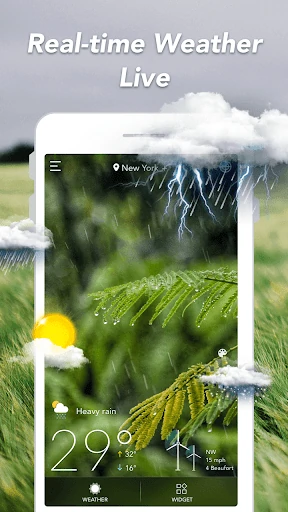
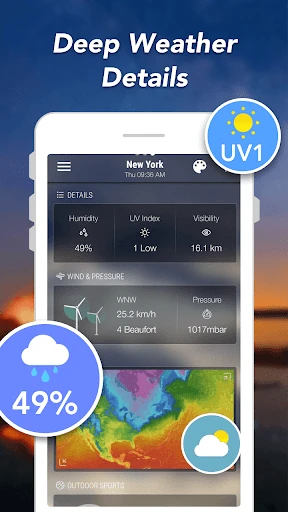
- Real-time Local Monitoring: Beyond simple temperature readings, the app provides "feels like" metrics and UV indices, solving the problem of dressing appropriately for actual conditions rather than just the raw numbers.
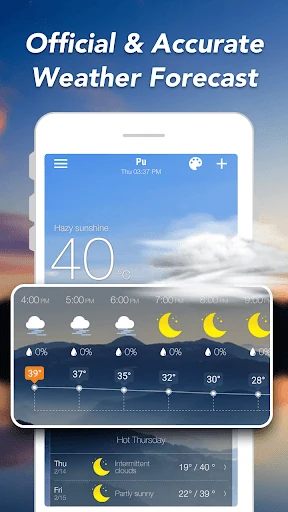
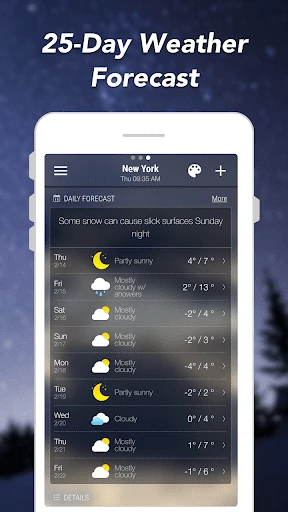
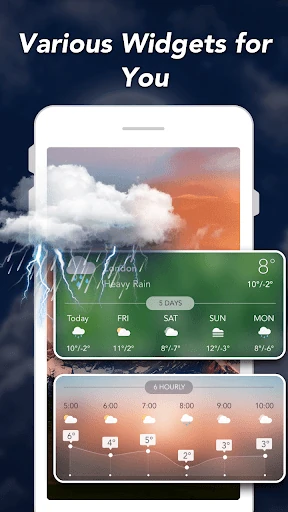
- Multi-Temporal Forecasting: By offering both hourly breakdowns and 10-day outlooks, it enables users to plan everything from their immediate commute to long-term travel arrangements.
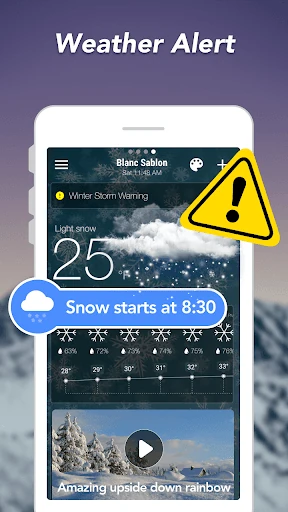
- Smart Precipitation & Severe Alerts: This proactive feature solves the "forgotten umbrella" dilemma and ensures user safety by pushing critical warnings during volatile weather events.
- Versatile Widget Suite: With sizes ranging from 2x1 to 5x2, these widgets solve the friction of app-switching, allowing users to consume vital data directly from their home screen.
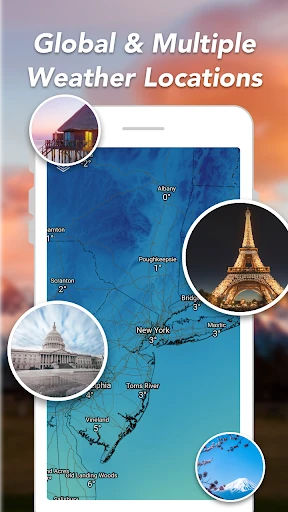
- Global Localization: Supporting over 30 languages and various unit systems (Metric/Imperial), it eliminates the complexity of data interpretation for international travelers and non-native speakers.
🎨 User Experience & Design
The interface of Weather Forecast: Live Weather is built with a focus on data accessibility. It adheres to standard weather app heuristics, placing the most critical information—current temperature and immediate conditions—at the forefront. The inclusion of customizable themes for widgets suggests a high level of empathy for user aesthetics, allowing the app to blend into various launcher designs. While the data density is high, the logical grouping of atmospheric pressure, visibility, and humidity prevents the UI from feeling overwhelming for the average user.
⚖️ Pros & Cons Analysis
- ✅ The Good: Completely free access to premium data points like pollen counts and 10-day forecasts.
- ✅ The Good: Exceptional widget customization options that cater to different screen real estate needs.
- ❌ The Bad: As a free app, the presence of advertisements may occasionally interrupt the clean visual flow of the weather data.
- ❌ The Bad: The high volume of technical data might be more than a casual user requires for simple daily checks.
🛠️ Room for Improvement
To further elevate the user experience, the developers could consider integrating an interactive, animated radar overlay for more intuitive tracking of storm cells. Additionally, adding a "Minimalist Mode" would benefit users who prefer a cleaner aesthetic over the current data-heavy display. Finally, expanding support for wearable devices like Wear OS would be a logical next step for a "live" weather service.
🏁 Final Conclusion & Recommendation
Weather Forecast: Live Weather is an ideal solution for outdoor enthusiasts, daily commuters, and data-driven users who want a professional-grade weather station in their pocket. It is particularly recommended for those who are tired of the "freemium" model common in the category. For a zero-cost application, it delivers a surprisingly deep feature set that rivals most paid alternatives, making it a top-tier choice for the budget-conscious but informed user.