🏆 Expert Verdict & Overview
Background Eraser Photo Editor emerges as a high-utility powerhouse within the Android photography landscape, specifically targeting the friction point of digital asset creation. Developed with a focus on accessibility, the app bridges the gap between complex desktop software and mobile convenience. By integrating advanced AI-driven masking, it transforms the traditionally tedious task of background removal into a seamless, one-tap operation. For creators operating in the social media and e-commerce space, this tool is less of a simple utility and more of an essential workflow accelerator that maintains professional-grade output quality.
🔍 Key Features Breakdown
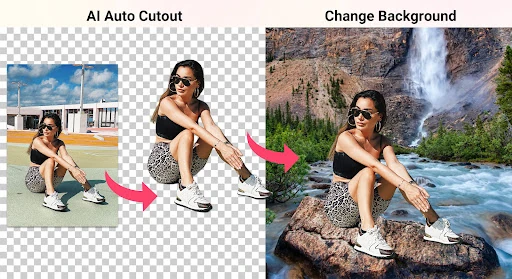
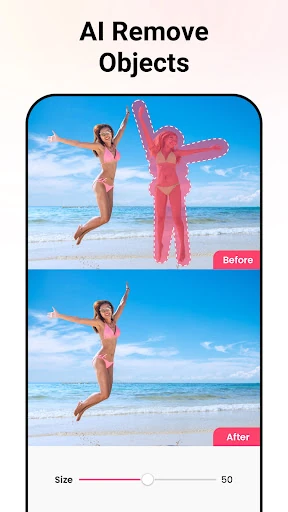
- Quick AI Mode: This feature eliminates the steep learning curve of manual masking by automatically detecting subjects like people, animals, and plants, allowing users to generate transparent PNGs in seconds.
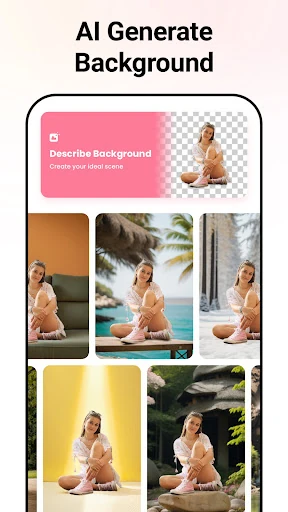
- AI Background Generator: It solves the problem of lackluster environments by allowing users to describe a scene via text, which the AI then renders into a bespoke backdrop tailored to the subject’s lighting and perspective.
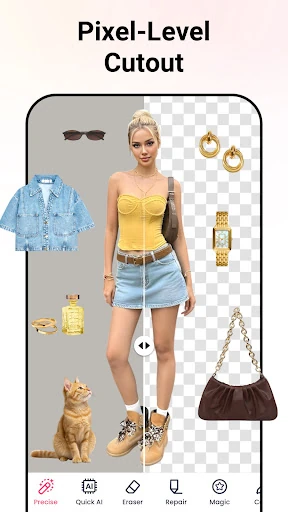
- Precise & Manual Refinement: For high-stakes projects, these modes offer pixel-level control and edge smoothing, ensuring that complex textures like hair or fur remain sharp and natural-looking without digital artifacts.
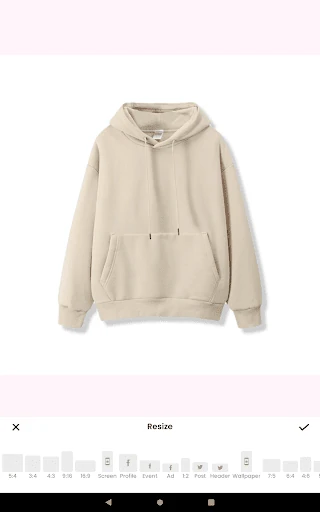
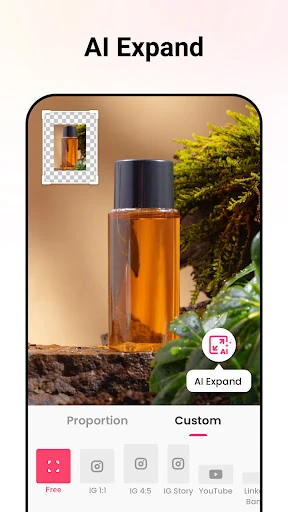
- AI Expand & Aspect Ratio Adjustment: This solves the limitation of tight framing by intelligently "hallucinating" the edges of a photo, making it easier to adapt images for different social media formats without losing content.
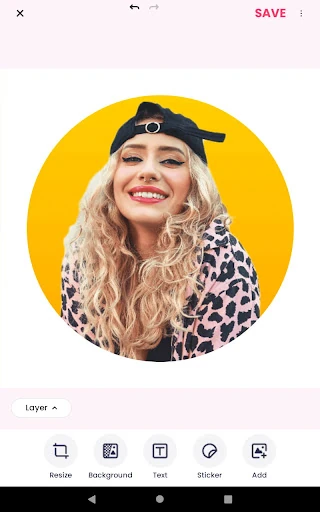
- Versatile Export Templates: The app directly addresses specific user needs by providing specialized output formats for YouTube thumbnails, WhatsApp stickers, and ID photos, removing the guesswork from file preparation.
🎨 User Experience & Design
The user interface of Background Eraser Photo Editor is built on a "utility-first" philosophy. The design is clean and avoids the cluttered menus often found in comprehensive photo editors, opting instead for a task-oriented layout. The UX flow is remarkably short; from the moment a photo is uploaded to the final export, the user is guided by intuitive icons and automated processes. For a photography app, the responsiveness of the AI feedback loop is impressive, providing real-time previews that allow for immediate adjustments, which is critical for maintaining a "stress-free" creative environment as promised by the developers.
⚖️ Pros & Cons Analysis
- ✅ The Good: Exceptional AI edge detection that handles complex shapes like hair and fur better than most free competitors.
- ✅ The Good: All-in-one utility that combines removal, expansion, and generation within a single, lightweight package.
- ❌ The Bad: The heavy reliance on AI can occasionally lead to "over-smoothing" in areas with low contrast between the subject and the background.
- ❌ The Bad: While core features are powerful, the lack of advanced layer-based compositing may limit its use for complex graphic design projects.
🛠️ Room for Improvement
To further solidify its position as a market leader, the app could benefit from a "Batch Processing" feature, allowing users to remove backgrounds from multiple images simultaneously—a major pain point for small business owners listing products. Additionally, implementing more granular manual brushes with adjustable hardness and opacity would cater to the "Pro" user base who requires more control over the final edge blending. Finally, an offline mode for basic AI masking would improve the user experience for those with limited connectivity.
🏁 Final Conclusion & Recommendation
Background Eraser Photo Editor is an ideal solution for content creators, e-commerce sellers, and casual social media users who need high-quality visual assets without the overhead of professional training. It excels in delivering "studio-quality" results with minimal effort. We highly recommend this app for anyone looking to produce clean PNGs, stickers, or marketing materials on the fly. It is a top-tier utility that turns a smartphone into a legitimate production tool.