🏆 Expert Verdict & Overview
Email - Fast and Smart Mail enters the competitive Communication landscape as a lightweight, multi-provider email aggregator designed for efficiency. By consolidating services like Gmail, Outlook, and Hotmail into a single interface, it aims to streamline the digital workflow for Android users who juggle multiple professional and personal identities. As a free utility, it prioritizes accessibility and core functionality over complex enterprise-grade features, making it a viable alternative for users seeking a simplified, unified inbox experience without the overhead of multiple heavy applications.
🔍 Key Features Breakdown
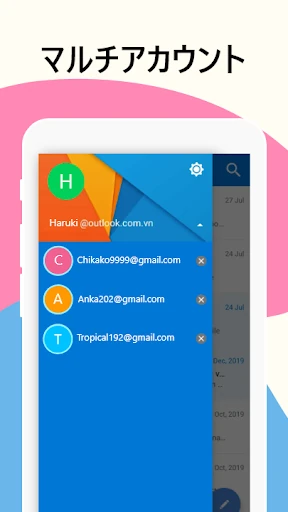
- Multi-Provider Integration: Supports diverse services including Outlook, Hotmail, and Gmail, allowing users to manage disparate accounts without the friction of switching between dedicated apps.
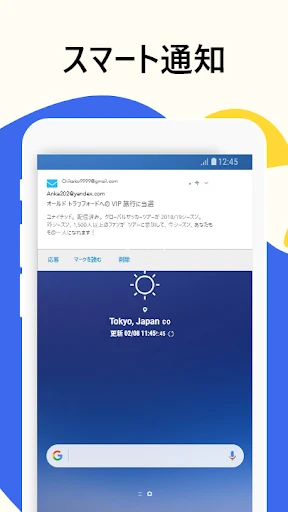
- Instant Push Notifications: Delivers real-time alerts to ensure users remain responsive, maintaining a constant connection to their professional and personal networks.
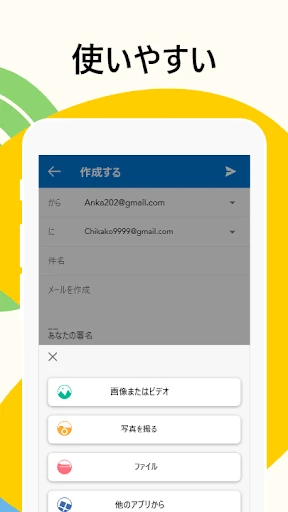
- Simplified Mail Operations: Streamlines the entire lifecycle of an email—from drafting and sending to permanent deletion—through an intuitive and responsive command structure.
- Professional Signature Tool: Enables the creation of smart, customizable signatures that can be easily toggled, helping users maintain a professional brand image across all outgoing correspondence.
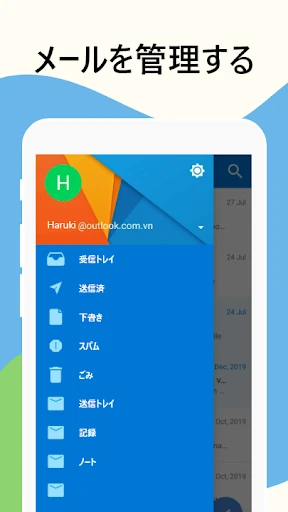
- Advanced Management & Navigation: Provides specific tools for managing drafts and shared emails, alongside a "view and modify" feature that protects against accidental deletions.
🎨 User Experience & Design
The application adheres to familiar Android design patterns, ensuring a nearly flat learning curve for the target demographic. The UI is intentionally "friendly," focusing on high legibility and straightforward navigation within the inbox and folder structures. By prioritizing ease of use over experimental design, the app succeeds in reducing cognitive load, making the management of complex folder hierarchies and drafts feel intuitive even for non-technical users.
⚖️ Pros & Cons Analysis
- ✅ The Good: Exceptional versatility in supporting multiple third-party email providers within a single, lightweight package.
- ✅ The Good: Completely free to use, offering essential "Smart Mail" features like professional signatures without the barrier of a subscription.
- ❌ The Bad: Lacks advanced organizational features such as AI-driven email categorization or priority inbox filtering found in premium flagship clients.
- ❌ The Bad: The visual interface, while functional, lacks the high-polish aesthetic and deep theme customization options of modern competitors.
🛠️ Room for Improvement
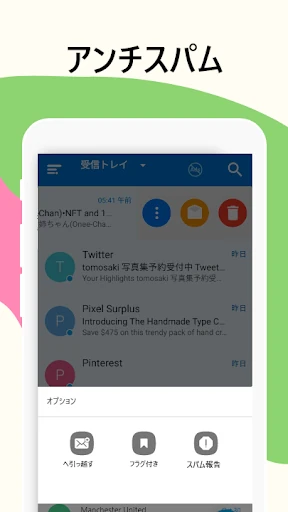
To move into the top tier of communication tools, future updates should implement enhanced security protocols, such as biometric app locking (fingerprint or face ID) to protect sensitive correspondence. Additionally, the developer could benefit from adding a "Unified Inbox" view that merges all account feeds into one chronological stream. Improving the spam-filtering algorithms and adding a dedicated "Dark Mode" would also significantly elevate the user experience for long-term power users.
🏁 Final Conclusion & Recommendation
Email - Fast and Smart Mail is best suited for casual users, freelancers, and small business owners who require a no-frills, centralized hub for multiple email accounts. It is an excellent recommendation for users with limited device storage who want to avoid the resource drain of installing several different email clients. If you prioritize speed, multi-account accessibility, and simplicity over advanced data analytics, this app serves as a highly effective communication tool.