Advertisement
Click to download now, finish the installation quickly, and directly unlock the all-round experience
Advertisement
Screenshots
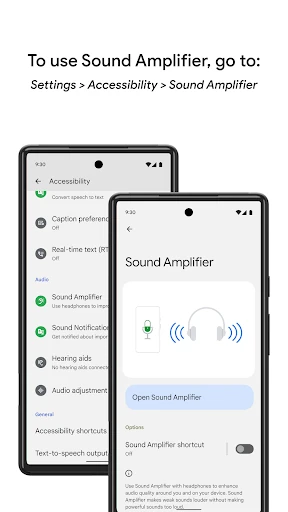
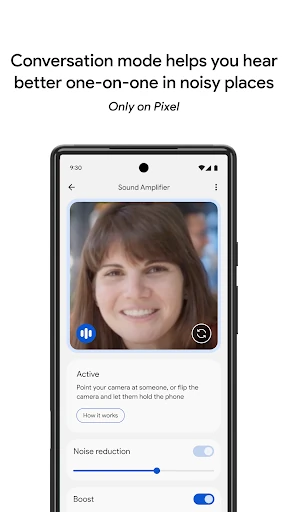
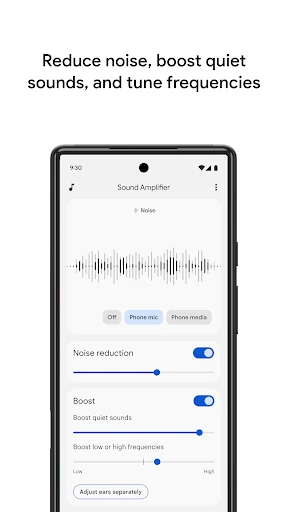
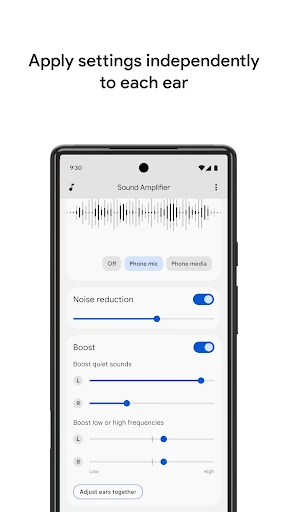
Click to download now, finish the installation quickly, and directly unlock the all-round experience
Sound Amplifier stands as a cornerstone in the Communication and Accessibility ecosystem for Android. By leveraging the smartphone's microphone and on-device processing power, it bridges the gap for users with hearing impairments, effectively transforming a standard mobile device into a sophisticated hearing assistive tool. It doesn't just increase volume; it intelligently filters the auditory environment, making it an indispensable utility for inclusive communication and a gold standard for OS-level accessibility features.
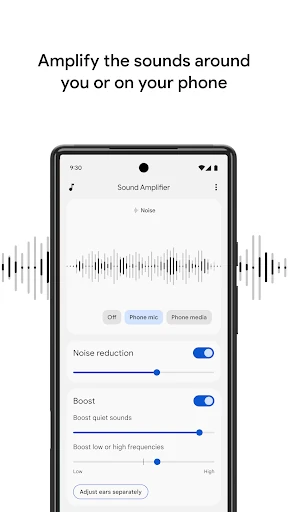
The interface follows Google’s Material Design philosophy—minimalist, high-contrast, and highly intuitive. Since the app targets users who may have varied technical or physical needs, the large sliders and clear labels facilitate easy navigation without visual clutter. The setup process is seamless, requiring only the connection of headphones. However, the UX is tethered to hardware realities; the interface does a good job of warning users about Bluetooth latency, which is a critical piece of feedback for maintaining user trust in a communication-sensitive category.
The next major update should prioritize advanced latency-compensation algorithms for wireless audio devices to accommodate the industry shift toward Bluetooth-only hardware. Additionally, expanding Conversation Mode to a wider range of high-end Android devices would greatly increase the app's social impact. Introducing environment-based presets—such as "Restaurant," "Library," or "Theater"—would also streamline the user experience for those who find manual frequency adjustment intimidating.
Sound Amplifier is an essential utility for individuals with mild to moderate hearing difficulties who seek a powerful, cost-effective alternative to specialized hardware. It is a brilliant example of how mobile technology can be used to foster better human connection. This app is highly recommended for any Android user looking to enhance auditory clarity and reclaim their place in everyday conversations.