🏆 Expert Verdict & Overview
Skype for Business for Android represents a critical bridge in the enterprise communication ecosystem, successfully migrating the robust functionality of Lync 2013 into a modern mobile framework. As a professional-grade tool, it is designed to extend the office environment to the mobile worker, offering a unified interface for voice, video, and instant messaging. In the current business landscape, it serves as a cornerstone for organizations reliant on Microsoft’s server infrastructure, providing a secure, encrypted channel for corporate collaboration that consumer-grade apps cannot match. Its authoritative presence in the Business category is defined by its deep integration with Office 365 and Active Directory, making it an essential utility for the mobile professional.
🔍 Key Features Breakdown
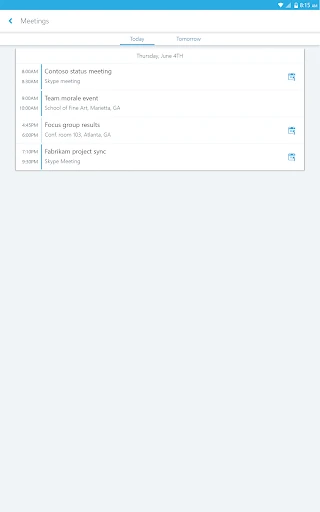
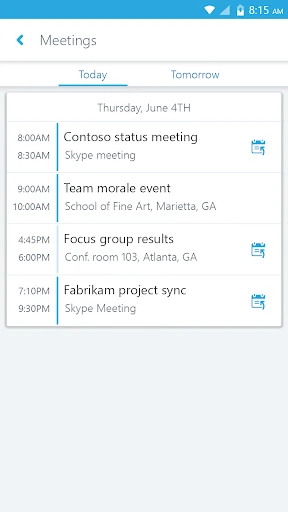
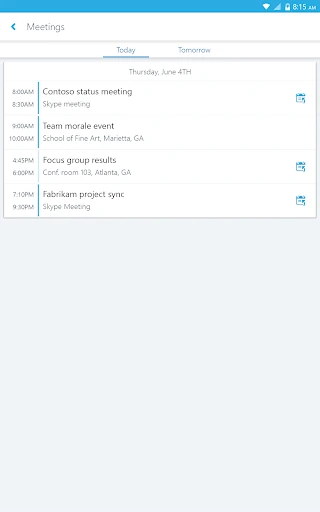
- One-Click Meeting Joins: By integrating directly with the user’s calendar, the app allows professionals to jump into conferences instantly, eliminating the friction of searching for dial-in codes or links.
- Advanced Meeting Moderation: Meeting leaders can mute or remove participants directly from their Android device, ensuring that remote sessions remain productive and free from background noise.
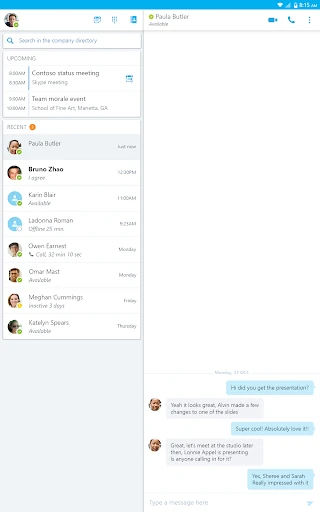
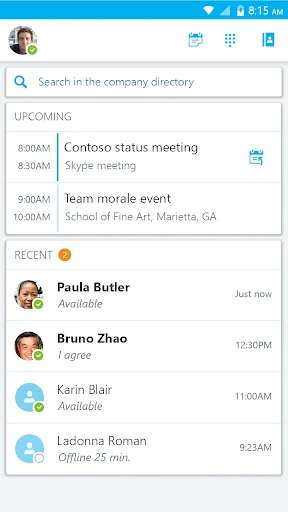
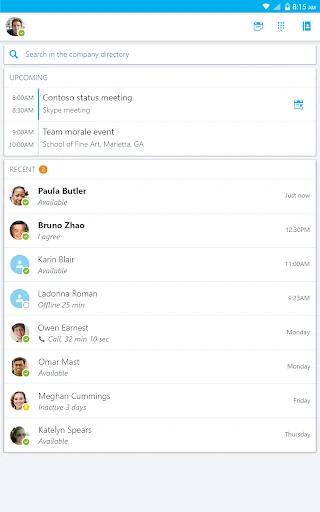
- Rich Presence & Unified Search: Users can see the real-time availability of colleagues and search for contacts via name, email, or phone number, which streamlines the transition from desktop to mobile workflows.
- Enterprise-Grade Security: Through the Active Directory Authentication Library (ADAL), the app provides multi-layered security, ensuring that sensitive corporate conversations remain protected behind company firewalls.
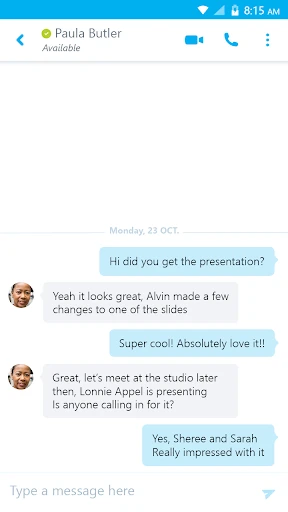
- Persistent Conversation History: The app tracks recent interactions, allowing users to pick up conversations exactly where they left off, regardless of the device they were previously using.
🎨 User Experience & Design
The UI of Skype for Business for Android prioritizes utility and familiarity over aesthetic flair. Adhering to the design language expected in the Business category, the interface is clean and highly functional, focusing on reducing the number of taps required to perform essential tasks. The navigation is intuitive, with clearly defined tabs for contacts, meetings, and recent chats. While the design leans toward a more traditional corporate aesthetic, the responsiveness of the video switching and the clarity of the "Rich Presence" indicators provide a seamless UX that minimizes the learning curve for employees already familiar with the Microsoft ecosystem.
⚖️ Pros & Cons Analysis
- ✅ The Good: Exceptional integration with Microsoft Lync and Skype for Business Server environments.
- ✅ The Good: High-quality video and audio conferencing capabilities even over wireless networks.
- ✅ The Good: Robust security features that satisfy strict IT department requirements.
- ❌ The Bad: Heavy reliance on specific server versions and IT configuration, which can lead to login hurdles for some users.
- ❌ The Bad: The interface, while functional, feels somewhat dated compared to the newer Microsoft Teams mobile experience.
🛠️ Room for Improvement
To remain competitive in an increasingly agile market, the app would benefit from a visual overhaul to align with modern "Fluent Design" standards. Additionally, improving the "rejoin" logic for meetings when switching between Wi-Fi and cellular data would enhance reliability for users on the move. Streamlining the initial login process to reduce dependency on complex IT-side configurations would also improve the onboarding experience for smaller organizations using Office 365.
🏁 Final Conclusion & Recommendation
Skype for Business for Android is a specialized tool built specifically for the corporate sector and employees operating within a Microsoft-centric IT infrastructure. It is not a standalone social app, but rather a powerful extension of a company’s communications array. We recommend this app for enterprise users who require secure, moderated conferencing and persistent IM capabilities while away from their desks. It remains a reliable, "workhorse" application for professional connectivity.