🏆 Expert Verdict & Overview
Video Player All Format, widely recognized in the mobile ecosystem as XPlayer, stands as a premier solution within the Video Players & Editors landscape. It addresses the fragmentation of mobile media by offering a robust, codec-rich environment that handles everything from legacy AVI files to modern 4K Ultra HD streams. By positioning itself as more than just a playback tool—incorporating privacy features and casting capabilities—it effectively bridges the gap between a simple utility and a comprehensive media hub for Android users.
🔍 Key Features Breakdown
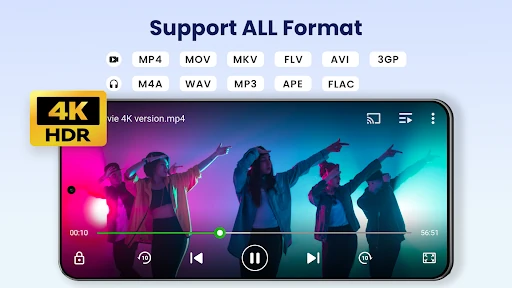
- Universal Format Compatibility: Supports MKV, MP4, M4V, AVI, and more, ensuring users never encounter "format not supported" errors.
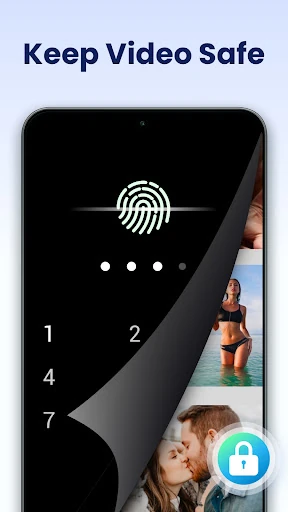
- Secure Private Folder: Provides a password-protected space for sensitive media, solving the common privacy concern of shared devices or accidental discovery.
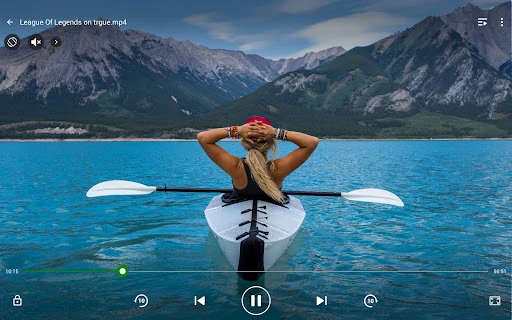
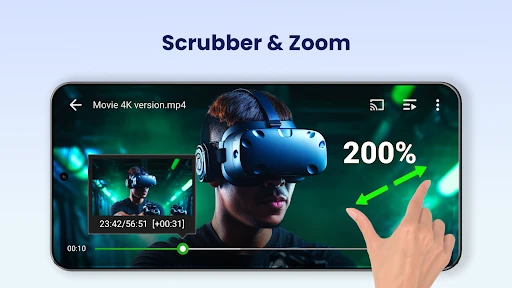
- Advanced Playback Controls: Features hardware acceleration and variable speed control (0.5x to 2.0x), allowing for tailored viewing experiences like slow-motion analysis or rapid content consumption.
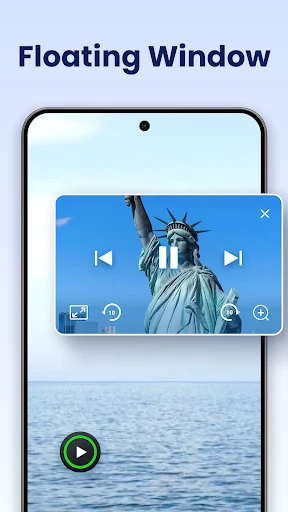
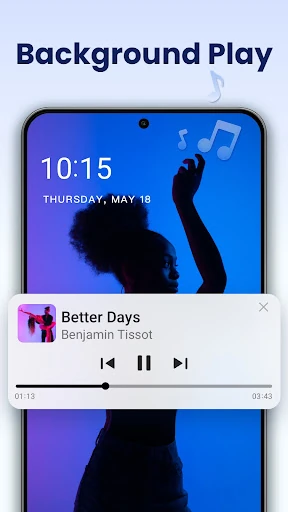
- Seamless Multitasking: The floating popup window and background play functionality allow users to continue watching while messaging or browsing, maximizing productivity.
- Integrated Chromecast Support: Simplifies the transition from mobile viewing to big-screen entertainment without requiring third-party casting utilities.
🎨 User Experience & Design
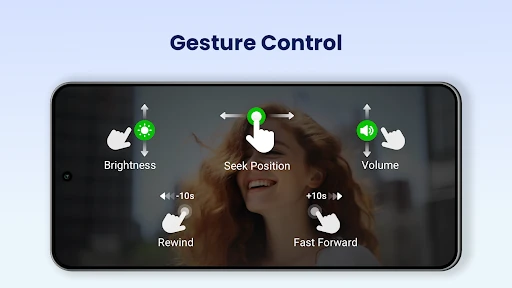
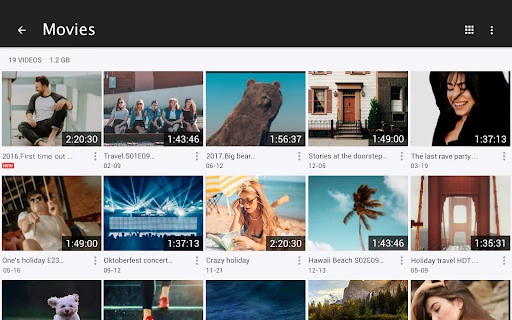
The interface of Video Player All Format is engineered for efficiency, adhering to the high standards expected in the Video Players & Editors category. Its UX is anchored by intuitive gesture controls; users can adjust brightness, volume, and playback progress with simple swipes on the screen. The design is responsive, scaling effectively from smartphones to tablets, and includes a necessary Night Mode to reduce eye strain. The automatic identification of media files on both internal storage and SD cards ensures a frictionless setup for users with large libraries.
⚖️ Pros & Cons Analysis
- ✅ The Good: Exceptional versatility in handling high-bitrate 4K content without stuttering thanks to hardware acceleration.
- ✅ The Good: Comprehensive multitasking features like background audio playback and resizable floating windows.
- ❌ The Bad: The sheer number of features can lead to a slightly steeper learning curve for users seeking a minimalist player.
- ❌ The Bad: Heavy reliance on local file management might feel dated to users who exclusively utilize streaming services.
🛠️ Room for Improvement
To further elevate the user experience, future updates should consider deeper integration with cloud storage providers (like Google Drive or Dropbox) to allow streaming of private collections. Additionally, refining the subtitle downloader with more granular synchronization tools would benefit international cinema enthusiasts. A more modernized, minimalist aesthetic for the file explorer interface could also improve the app's visual appeal relative to contemporary design trends.
🏁 Final Conclusion & Recommendation
Video Player All Format is an essential tool for power users, media collectors, and anyone who frequently handles diverse video file types. It is particularly well-suited for users who prioritize privacy and those who require advanced multitasking capabilities on their Android devices. For anyone looking for a reliable, all-in-one replacement for stock media players, XPlayer remains a top-tier recommendation.