🏆 Expert Verdict & Overview
Vivago.ai-AI Video&Effects represents a significant shift in the Video Players & Editors landscape, moving away from traditional timeline-based editing toward a prompt-driven, generative workflow. As a Senior Analyst, I view this app as a bridge between high-level AI model capabilities and consumer-ready social media content. It positions itself not just as a tool, but as a creative partner that democratizes complex animation and synthesis, allowing users to participate in viral trends like the "Pet Dance Challenge" with zero technical friction. In a crowded market of standard filters, Vivago.ai stands out by offering genuine generative utility across text, image, and video mediums.
🔍 Key Features Breakdown
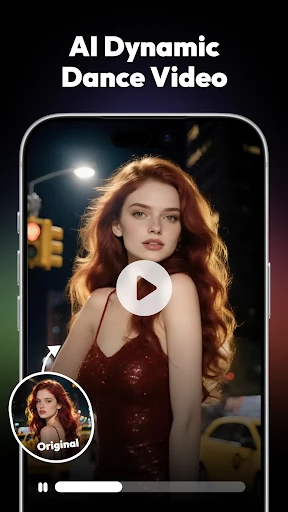
- AI Video Templates (Pet & Kids Dance): Solves the technical hurdle of rigging and animating static subjects. By utilizing specific motion-transfer models, users can transform simple photos into complex, rhythmic animations for social engagement.
- Text-to-Video Generation: Addresses the "blank canvas" problem by allowing users to describe a scene in natural language. The AI interprets rhythm and visual elements, producing dynamic clips from mere descriptions.
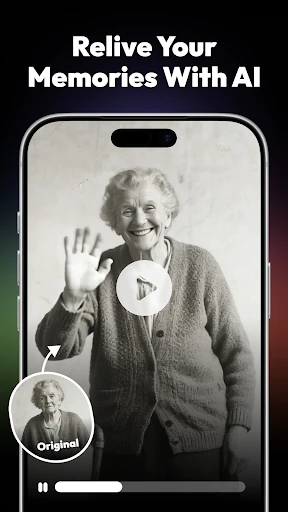
- Image-to-Video Animation: Provides a solution for users wanting to breathe life into static memories. It applies character action simulation and natural flow effects to make portraits or landscapes move realistically.
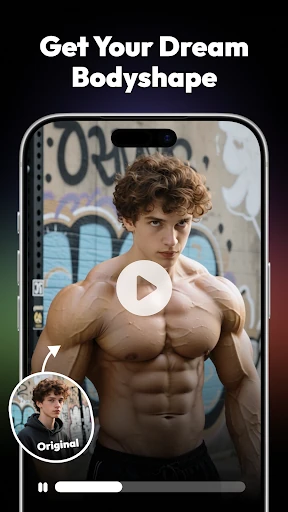
- One-Click AI Portraits & Effects: Eliminates the need for professional photography or complex post-production. It offers stylized headshots and vintage restorations that typically require expert-level retouching skills.
🎨 User Experience & Design
The design philosophy of Vivago.ai centers on "Zero Threshold Operation," a critical standard for modern mobile editors targeting the TikTok and Reels demographic. The interface prioritizes immediacy, utilizing a template-first architecture that guides the user from asset selection to final rendering in a few taps. From a UX perspective, the application succeeds by hiding the immense computational complexity of its AI models behind a clean, intuitive UI. While it sacrifices the granular control found in professional desktop suites, it excels in "time-to-content," which is the primary metric for its target user base in the Video Players & Editors category.
⚖️ Pros & Cons Analysis
- ✅ The Good: High-quality generative output that maintains style consistency across frames.
- ✅ The Good: Weekly content updates ensure users can capitalize on viral social media trends while they are still relevant.
- ❌ The Bad: Limited manual control over specific AI parameters, which may frustrate advanced users seeking a particular aesthetic.
- ❌ The Bad: Heavy reliance on cloud-based processing means performance is strictly tied to internet connectivity and server load.
🛠️ Room for Improvement
To further solidify its position, Vivago.ai should consider integrating more robust manual editing tools, such as a multi-track timeline for adding text overlays or custom audio sync after the AI has generated the video. Additionally, introducing a "Prompt Gallery" or a community-driven feed would help users learn how to write better descriptions for the Text-to-Video tool, fostering a more creative ecosystem within the app.
🏁 Final Conclusion & Recommendation
Vivago.ai-AI Video&Effects is specifically designed for social media enthusiasts, parents, and pet owners who want to create high-impact, trending content without the steep learning curve of traditional video editing. It is a powerful "magic wand" for the modern creator. My final recommendation: if you are looking to turn static photos into viral-ready animations or generate unique footage from scratch, this is an essential addition to your creative toolkit.